The Haryana government has launched the Parivar Pehchan Patra (PPP Haryana), also known as Family ID Haryana to help families get government benefits easily. This PPP Haryana Family ID lets you manage your family details online and use services like pensions, subsidies, and PPP Haryana ration card without filling out forms again and again. Through the official PPP Haryana portal, citizens can handle tasks such as PPP Haryana login, registration, updates, and downloads.
Haryana Family ID Login
To access services on the PPP Haryana portal, follow these steps:
- Visit the official PPP Haryana website at: https://ppp-office.haryana.gov.in/
- Click on the "Citizen Login" option on the homepage.
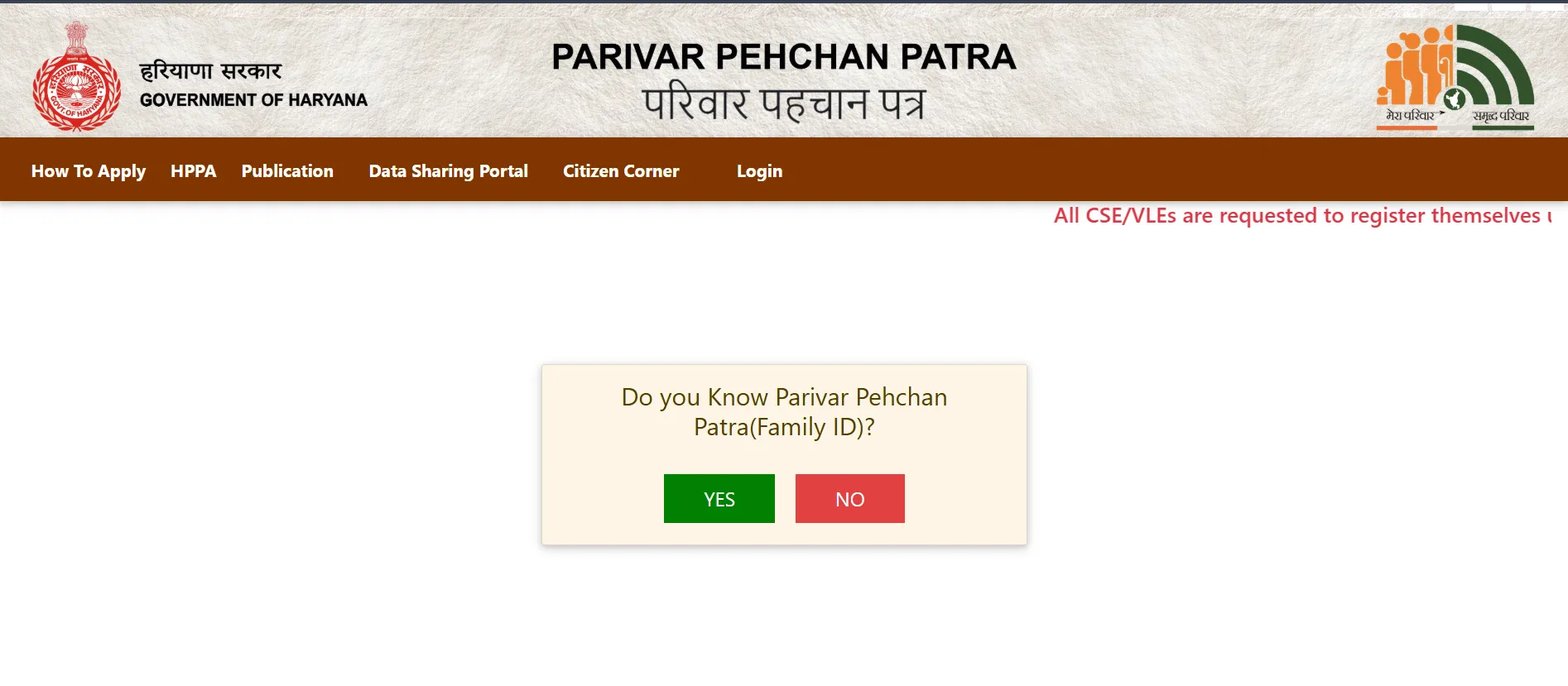
- If you have a Family ID, enter it. If not, select the "No" option to create a new ID.
- For existing IDs, an OTP may be sent to your registered mobile for verification. Enter the OTP to log in.
Tips for Safe Login:
- Use only the official PPP Haryana website.
- Avoid logging in from public computers or unsecured Wi-Fi.
- Log out after completing your session.
- Keep your password and OTP secret.
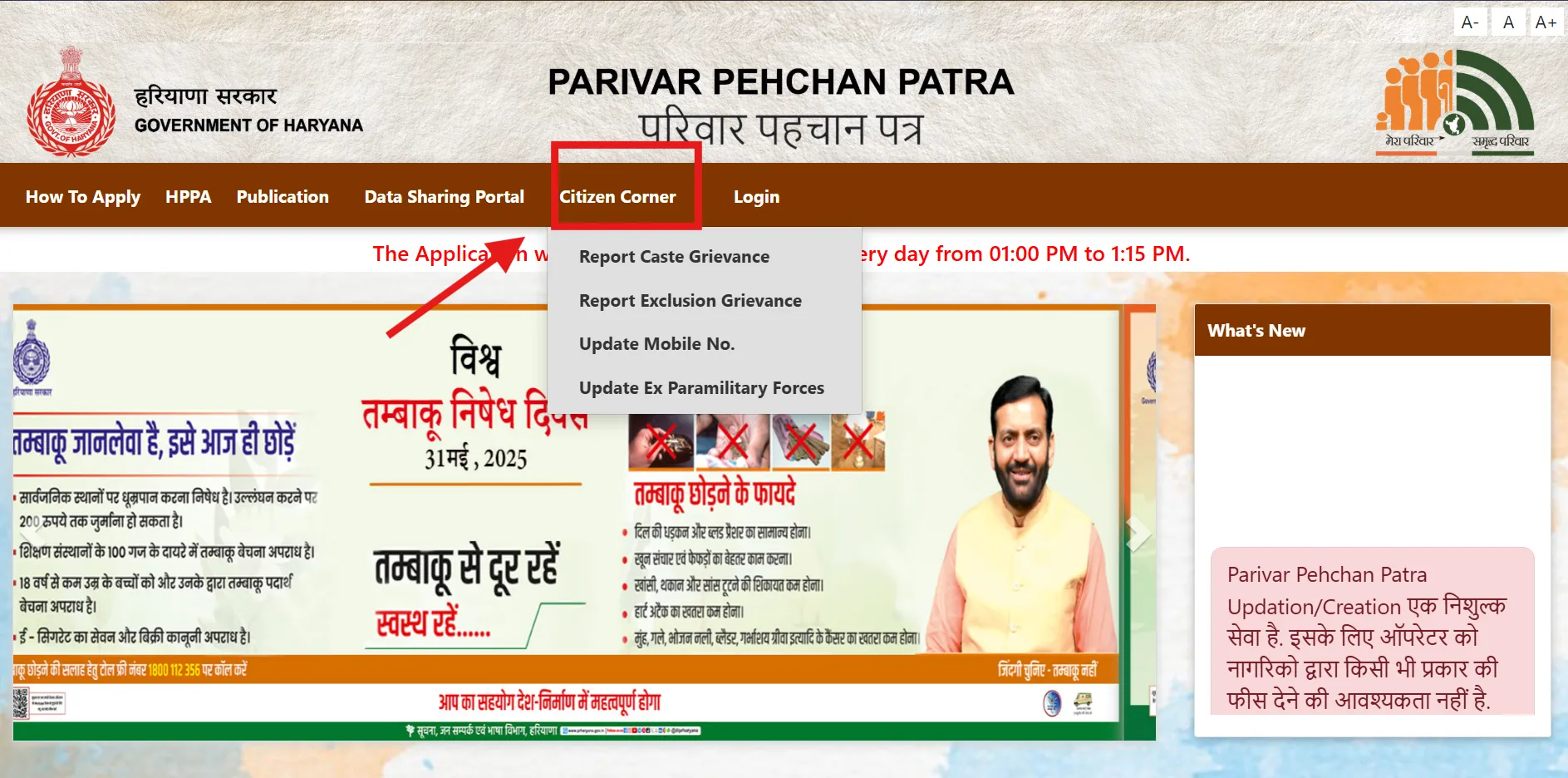
How to Register for Haryana Family ID
If you don't have a Family ID Haryana, you can create one. The full form of PPP Haryana is Parivar Pehchan Patra. It provides an 8-digit ID for permanent residents or a 9-digit temporary ID (starting with 'T') for others.
Step 1: Visit the Website
Open https://ppp-office.haryana.gov.in/

Step 2: Choose New Registration
Select "Citizen Login" and choose the option to create a new Parivar Pehchan Number (PPN) if not registered.

Step 3: Enter Aadhaar Number
Enter the Aadhaar number of the family head. An OTP will be sent to the linked mobile number.

Step 4: Verify OTP
Enter the OTP received to verify your Aadhaar.

Step 5: Fill Personal Details
Once verified, your details from Aadhaar (e.g., name, date of birth) will appear. Fill in additional details:
- Name in Hindi (first and last, if applicable)
- Date of birth (select proof document: school certificate, birth certificate, voter ID, or matriculation certificate)
- Document issue date and number
- Gender
- Marital status
- Place of birth (Inside or Outside Haryana, with district/town)
- Duration of residence in Haryana
- Mobile number (mandatory)
- Email ID (optional)
- Caste category (provide proof if SC/ST/OBC)
- Disability status (if yes, specify percentage and proof)
- Voter ID details (if applicable)
- PAN card details (if applicable)
- Annual income and income source
Step 6: Upload Documents
Upload clear copies PDFs under 200 KB of:
- Aadhaar cards for all members
- Age proof (e.g., matriculation certificate, birth certificate)
- Voter ID (for adults, if applicable)
- Address proof (e.g., electricity bill)
- Income or caste proof (if applicable)
- Bank passbook or statement (if applicable)
- PAN card (if applicable)
Step 7: Add Family Details
Enter details of family members:
- Father's details (alive or deceased, Aadhaar, name in English/Hindi, date of death if applicable)
- Mother's details (Aadhaar, name in English/Hindi)
- Spouse's details (if applicable, including alive/deceased status)
- Address (house number, street, district, block, property ID, ownership status)
- Other members (e.g., children, with Aadhaar, name, date of birth, etc.)
Step 8: Check and Submit
Review all details carefully and click submit.
Step 9: Save Temporary ID
You'll receive a temporary Family ID number (starting with 'T'). Note it down or take a screenshot for reference.
🔎 Documents You Need:
- Aadhaar cards
- Family head's mobile number
- Address proof (e.g., electricity bill)
- Age proof (e.g., birth certificate, matriculation certificate)
- Voter ID for adults (if applicable)
- Bank details for transfers (if applicable)
- Income or caste proof (if applicable)
Update Haryana Family ID
To update details in your PPP Haryana Family ID, such as adding a member, updating details, or correcting errors:
- Log In: Use your Family ID and OTP to access the portal.
- Find Update Section: Go to "Update Family Details" or "Correction Module" in the Family Details tab.
- Choose Update Type:
- Add New Member: For births or marriages (provide Aadhaar, OTP, and documents).
- Remove Member: For deaths (provide death certificate).
- Update Personal Details: Change name, education, or occupation.
- Update Address: Update residence or property details.
- Update Mobile Number: Verify with OTP.
- Update Bank Details: For direct benefit transfers.
- Add Information: Enter new details and upload required documents (e.g., birth/death certificates, PDFs under 200 KB).
- Submit and Verify: Review, submit, and confirm with OTP.
- Track Status: Use the reference number to check update status.

Check Haryana Family ID Status
To check your PPP Haryana application status:
- Go to https://meraparivar.haryana.gov.in/
- Find the "Status Check" option in the dashboard or use your application number/mobile.
- Enter your Family ID, application number, or mobile number.
- View Status: It will show "Processing," "Approved," "Rejected," or "Pending."
Next Steps:
- If "Approved," proceed to download your Family ID.
- If "Rejected," correct errors and resubmit.
Download Haryana Family ID
To download your PPP Haryana Family ID:
- Log in to Citizen Corner on https://meraparivar.haryana.gov.in/
- Click "Print Form" or the download option.
- Save or print the Family ID as a PDF.
- Sign the printed form, scan it (under 200 KB), and upload it back to the portal for final submission.
Why Haryana Family ID is Important
PPP Haryana offers several benefits:
- Centralized Data: Stores all family details in one place.
- Easy Access: Apply for schemes without repeated paperwork.
- Fast Benefits: Quick access to pensions, rations, or scholarships.
- Clear Tracking: See what benefits you get.
- Online Ease: Update or check details anytime.
- Stops Fraud: Verified details keep things safe.
- Links Services: Works with PPP Haryana ration card, certificates, and more.
Safety Tips for PPP Haryana
- Use only the official PPP Haryana website: https://meraparivar.haryana.gov.in/
- Keep passwords and OTPs confidential and change them regularly.
- Log out from shared devices.
- Report family changes promptly for accurate records.
- Contact official support for queries.
- Basic registration and updates are free.
Important Links
| Purpose | Link |
| Official Website | https://meraparivar.haryana.gov.in/ |
| Citizen Corner | https://ppp-office.haryana.gov.in/ |
| Saral Portal | https://saralharyana.gov.in/ |
| For Help | Visit a Saral Kendra; contact support via the portal (toll-free number available through district offices) |
Frequently Asked Questions (FAQs)
Who can apply for Family ID Haryana?
Residents of Haryana; the family head applies for a permanent or temporary ID.
How long does it take to make PPP Haryana?
10-30 days after verification.
Can I update my PPP Haryana Family ID?
Yes, you can add/remove members or update details online.
What if I forget my login details?
Use your registered mobile number to receive an OTP or contact support.
Can I change my mobile number in PPP Haryana?
Yes, update it in Citizen Corner with OTP verification.
Which schemes use PPP Haryana?
Ration card, pensions, scholarships, housing, Ayushman Bharat, and more.
How to make Family ID Haryana or apply Family ID Haryana?
Follow the registration steps online.
How to search Family ID Haryana?
Log in or use Aadhaar/mobile number on the portal.